Willus.com Home   |   Archive   |   About  

 
Willus.com's K2pdfopt
K2pdfopt optimizes PDF/DJVU files for mobile e-readers (e.g. the Kindle) and smartphones. It works well on multi-column PDF/DJVU files. K2pdfopt is freeware.
Last updated Apr. 5, 2012
 

Back to Willus.com's Software Archive


v1.40
4-5-12

Download
(Windows, Linux, OSX)

Help

FAQ

History


Linux Install

Mac Install
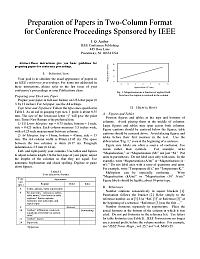
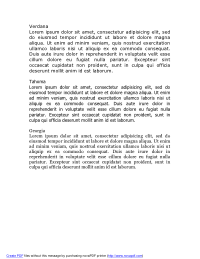
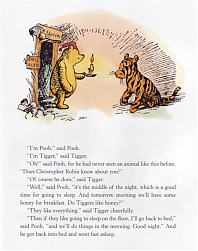
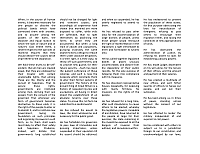
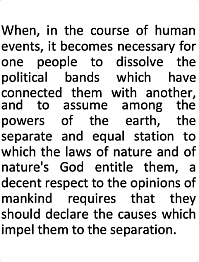
TURNS THIS . . .

(8.5 x 11 PDF or DJVU file)
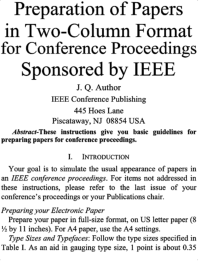
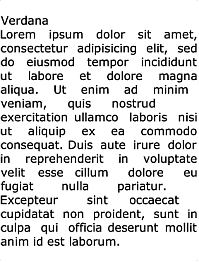
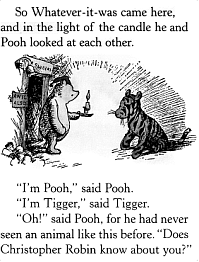
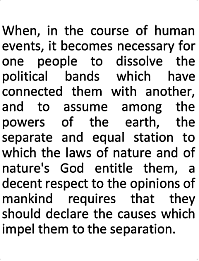
   . . . INTO THIS.

(6-inch reader screen)
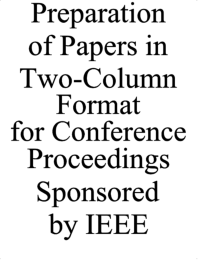
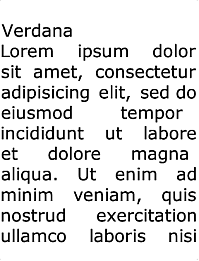
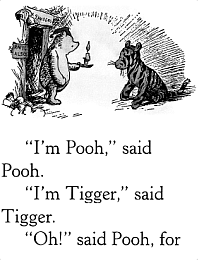
     . . . OR THIS.

(4-inch smartphone screen)


Unsolicited comments from k2pdfopt users:

         "Thank you so much for k2pdf - it has just, very beautifully, turned a syntax tree-ridden pdf into something my new Sony Reader will actually be able to display in a sensible way. I was about to return the thing to the store because I couldn't find a way to read full-sized pdfs on a 6 inch screen."

        
         "I had an old scanned manuscript of an unpublished type-written novel that I have been wanting in my Kindle. After some time tweaking the multitude of command line options you provide, I was able to get a really nice Kindle-readable PDF generated. You've written something seriously cool!"         

LATEST NEWS
5 Apr 2012    K2pdfopt v1.40 released. This update involved a lot of new code, so I bumped the version up from 1.35 from 1.40. The major new feature is true text wrapping / re-flow (on by default), and most of the improvements in this version will be noticeable primarily when wrapping text. The vertical spacing and indentation in the source document should be better mimicked now, and there is also an option for ignoring tiny marks (defects) on scanned documents. Because the text wrapping was completely re-written for v1.40, I am leaving up the v1.35 downloads for those rare cases where people might prefer the way v1.35 breaks lines. As usual, the complete list of changes is in the version history.
16 Feb 2012    K2pdfopt v1.35 released. This version includes smarter column flow and a debugging option to show how k2pdfopt is interpreting your file.
30 Dec 2011    K2pdfopt v1.34a released. After a hiccup with v1.34 not working in Windows and Linux due to build issues, hopefully 1.34a has this resolved. It is mostly a maintenance release, and includes some minor bug fixes and new features.
11 Nov 2011 K2pdfopt v1.33 released. It now auto-detects the orientation of the source document (assuming it is mostly text). That is, if the document is turned on its side, k2pdfopt will automatically rotate it before processing. There is also now an option for fully justified output (scroll to bottom of the help page for an example).
The complete list of k2pdfopt changes is in the k2pdfopt version history.


ABOUT K2PDFOPT
K2pdfopt (Kindle 2 PDF Optimizer) is a stand-alone program which optimizes the format of PDF (or DJVU) files for viewing on small (e.g. 6-inch) mobile reader and smartphone screens such as the Kindle's. It is meant for text-based files on a white background which may also have graphics or figures and works equally well on native and/or scanned or bitmapped PDF or DJVU files. It is fully automated and can batch-process PDF/DJVU files. K2pdfopt works by converting each page of the PDF/DJVU file to a bitmap and then scanning the bitmap for viewable areas (rectangular regions) and cutting and cropping these regions and assembling them into multiple smaller pages without excess margins so that the viewing region is maximized. You can see an example of how it works on this help page. Any kind of PDF/DJVU file (best if it has a primarily white background) can be converted. K2pdfopt works especially well on two-column or multi-column PDF/DJVU files such as IEEE and other technical journal articles (see examples below--it auto-detects two-column regions on the page), but even single-column files will often be significantly improved and much easier to read (see examples). K2pdfopt has the advantage over other PDF converters in that it fully preserves the rendered PDF fonts and graphics from the original file, unlike programs that convert the PDF to an e-book format. Also, because k2pdfopt is completely independent of language or fonts, it will work equally well on documents in any language.


HOW TO USE K2PDFOPT
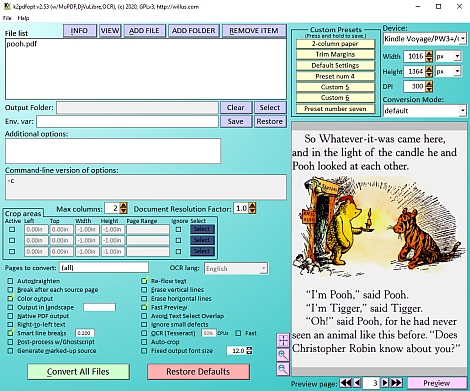
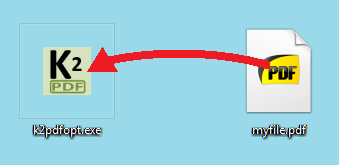
   No install is required and no extra files or packages are necessary to run k2pdfopt. Just drag and drop your PDF/DJVU file icon onto the k2pdfopt icon to convert it. You will be prompted for conversion options (as of v1.16). Press <Enter> to convert the file using the default settings. A new PDF file with _k2opt at the end of the name will be created. The output file is optimized for viewing on Kindles and other mobile readers with 6-inch screens (if the settings are not customized). Or drop a folder full of PDF/DJVU files onto the k2pdfopt icon to batch process. You can even drop a folder full of bitmap images to have them converted into a single PDF as if they were pages of a PDF file.

See my k2pdfopt help page for more detailed help.

Note that if you have a Kindle 2, it must have the latest firmware that allows it to view native PDF files.

EXAMPLES
Example Type Original
File
Optimized
for Kindle

(default settings)
Optimized
for Smartphone

(-odpi 250)
Four-column:
(must use -col 4
See v1.27 changes)

(must use -col 4
See v1.27 changes)
Two-column #2: X X X
One-column X X X
Scanned pages

K2PDFOPT REVIEWS/BLOGS/FORUMS
    1-4-12    TechLogon.com
    12-6-11    Herouxapps.com
    12-2-11    note1day.com (in Chinese)
    11-9-11    Świat Czytników (in Polish)
    11-5-11    tivasyk.info (in Ukrainian)
    11-1-11    WMLCloud.com
    10-27-11    Steve Gibson's Security Now #324
    10-21-11    addictivetips.com
    10-12-11    Paper4Kindle (in Chinese)
    10-7-11    mexxbooks.com (in German)
    10-7-11    the-ebook.org forums (In Russian)
    (varies)    mobileread.com forums
    9-7-11    habrahabr.ru (in Russian)
    8-5-11    reddit.com/r/kindle
    8-4-11    steepbend.ru (in Russian)
    8-3-11    ssnjara.wordpress.com (in Croatian)
    8-3-11    xenicom.org (in Italian)
   
    8-2-11    howtogeek.com (note comments from "willus")
    7-30-11    artiss.co.uk
    7-30-11    ideasfor.info (in Russian)
    7-29-11    vyazovoi.blogspot.com (in Russian)
    7-27-11    guidingtech.com (note comments from "willus")
    7-27-11    tinhte.vn (in Vietnamese)
    7-23-11    triple-click.net (in Greek)
    7-23-11    computerbooks.moole.ru (in Russian)
    7-22-11    blog.rgub.ru (in Russian)
    7-22-11    aldus2006.typepad.fr (in French)
    7-22-11    korben.info (in French)
    7-21-11    expertoeninternet.com (in Spanish)
    7-21-11    eboocek.cz (in Czech)
    7-21-11    lifehacker.ru (in Russian)
    7-20-11    redferret.net
    7-19-11    freewaregenius.com (full review)

OTHER PDF/CONVERTING SOFTWARE
If k2pdfopt doesn't work for you, other similar utilities are PaperCrop (review here), PDFRead, Cut2Col (converts 2-column PDFs to 1-column), and SoPDF (open-source PDF-to-Sony reader app). Cut2Col and SoPDF both add cropping directives to the PDF file so that all of the original contents are still in the PDF file (in text form and searchable if they started that way)--they are just custom cropped on each new page (something I am toying with trying on k2pdfopt at some point). Jpdftweak is an excellent "swiss army knife" for PDF files that I use to extract or merge pages from different PDF files. Or try my pdfr program to optimize scanned PDFs or convert DJVU files to PDF (runs much like k2pdfopt). Briss and PDF Scissors are open-source PDF cropping apps. Paper4Kindle is a Chinese program similar to cut2col. Calibre is a free, professional mobi-book organizer and converter. PdfMasher is a PDF text-to-mobi converter that claims to be smarter than calibre (or at least to give the user more control over the conversion). The Big List of Free Kindle Tools was posted by freewaregenius.com on 8-28-11.

RECOMMENDED PDF READER: SUMATRA (Windows only)
Some people are surprised to learn that Adobe Reader is not the only choice for viewing PDFs on their PC. I've tried Adobe and Foxit, but I prefer open source, and Krzysztof Kowalczyk's Sumatra PDF reader is a small, efficient, yet feature-rich open-source PDF reader that does everything I want. Sumatra also displays several file types other than PDF, including XPS, DJVU, CBZ, CBR, and PS/EPS (PS/EPS requires Ghostscript). It is a refreshing alternative to Adobe's bloatware. I highly recommend it.

This page last modified
Sunday, 15-Apr-2012 08:58:53 CDT